Quick Start Guide
From sign-up to your first published episode — the essential steps to get your station on AutoPod.
1. Order AutoPod
AutoPod is available through authorised partners. Place your order with:
- Canstream — streaming and broadcast technology provider
- The Media Site — media technology specialists
- Hippynet — broadcast solutions provider
Your provider will set up your account, connect your stream, and give you your login credentials.
2. Sign in to the Dashboard
Go to your dashboard URL (provided by your partner) and sign in with the credentials you were given.
On your first login you'll see the Dashboard homepage with your stream information, quick links, and any recent activity.
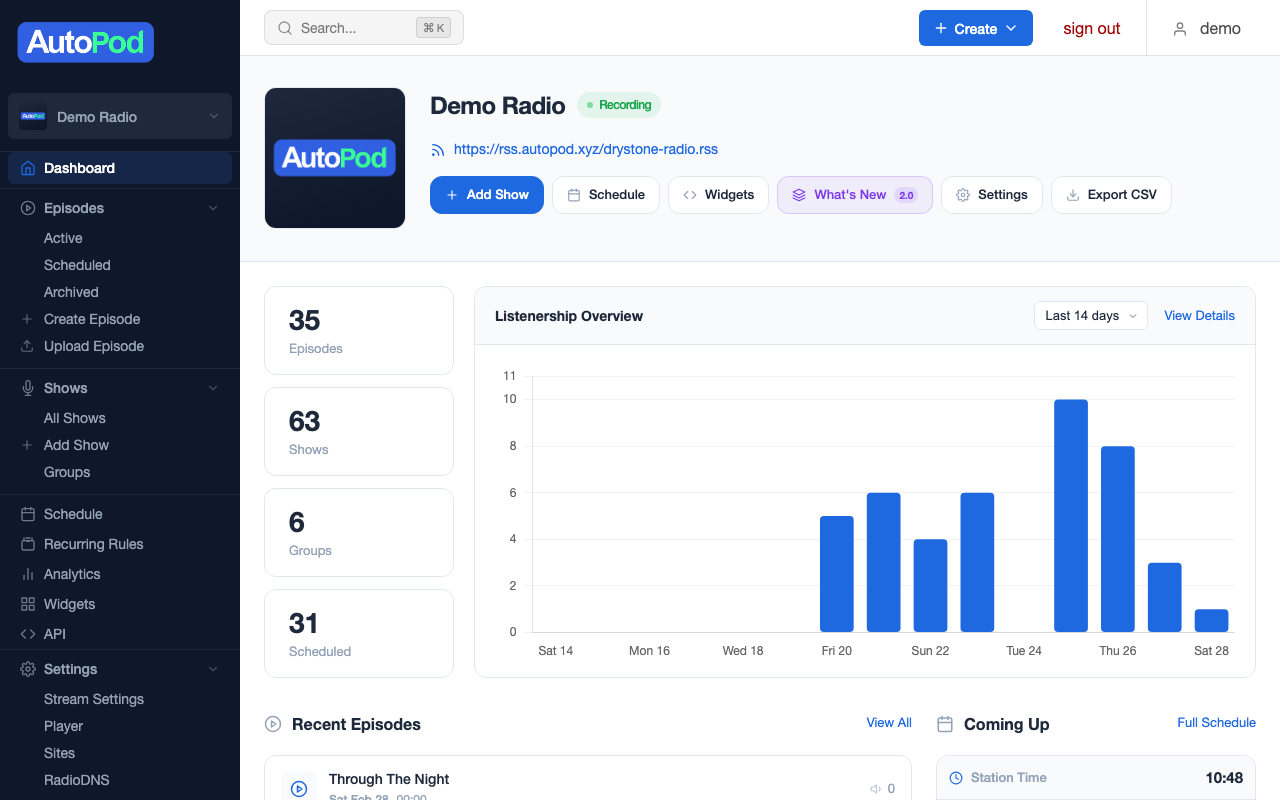
Bookmark your dashboard URL — you'll come back here to manage everything.
3. Create your shows
Before AutoPod can create episodes, it needs to know what your shows are. Head to Shows in the dashboard menu and create a show for each programme in your schedule.
For each show you'll need:
- Title — the show name (e.g., "The Breakfast Show")
- Presenter — who hosts it
- Description — a short summary for listeners
- Image — show artwork, ideally 3000 × 3000 pixels
See Managing Shows for the full guide.
4. Set up your schedule
Go to Schedule in the dashboard menu. The schedule editor is a grid of 15-minute blocks across the week. Assign shows to the time slots when they air.
AutoPod uses this schedule to know:
- When to start and stop each episode
- Which show the audio belongs to
- What metadata to attach (title, artwork, presenter)
See Managing the Schedule for the full guide.
5. Episodes appear automatically
Once your schedule is set, AutoPod takes over. After each show airs, an episode is automatically created and distributed to your player app, website, RSS feeds, and widgets.
Episodes typically appear within a few minutes of a show finishing.
What to do next
Your station is running. Here are the most common next steps:
- Customise your player — Set your colours, logo, and enable features like live streaming and search. See Player Overview.
- Set up your website — AutoPod Sites gives you a complete station website. See Sites Overview.
- Embed widgets — Add schedule strips, mini players, and episode lists to your existing site. See Widgets Overview.
- Submit to Apple Podcasts — Distribute your RSS feeds to podcast directories. See Apple Podcasts.
- Check your analytics — See who's listening, on what devices, and to which shows. See Analytics Overview.